“VBoard has become part of how I teach. It gives me the freedom to build authentic, dynamic, interactive lessons with every tool I need in one place, from geometry and function graphs to materials prepared and organised in my own library. Today I find it hard to imagine a lesson without VBoard: it is not just a digital board, it is the space where my lessons come to life.”Daniela Rezmive · Maths teacher
The virtual whiteboard built for teachers and schools
Lessons that land. Students who join in.
No card required · Runs in your browser · Free plan, no expiry


- 7:30 pm, the night before
Build the lesson from what you already have
Drop in your PDF, test or image, then let the AI assistant fill in the exercises you still need.
- 9:00
Walk in and the lesson is already on the board
No digging for files, nothing to redraw. Open last night's lesson and start teaching.
- 9:20
Show it, don't just say it
The right ruled paper, geometric shapes, handwritten formulas, images and video, all on one board.
- 9:50
The lesson leaves with your students
Everything you wrote stays saved, goes out as a PDF to anyone who missed it, and is ready for revision day.
Straight from the classroom
“When Google Jamboard was retired I went looking for another virtual board. I am glad I found VBoard: it helps me every day, in class and beyond. It has every feature I want, down to a small eraser so I do not wipe out the symbols next to the one I am fixing.”Claudia Pop · Chemistry teacher
“Dynamic teaching: it turns passive lessons into visual, interactive experiences that hold the students’ attention for the whole hour. Real-time collaboration: students solve exercises, draw or answer right on the board. Visual flexibility: colours, diagrams, geometric shapes and quick annotations make abstract concepts easier to grasp.”Rodica Roman · Maths teacher
See it all in a 3-minute tour
One platform, every setting
One virtual board for every way you teach.
In the classroom, in online tutoring or across an entire school, VBoard gives you the right tools for the way you actually work.
Prepare faster. Teach with more interaction.
Get the material ready before class, open it straight on the classroom board and pull your students into the same lesson. When it's over, everything you did together can be saved and shared.
- STEM tools, geometry, formulas and ruled paper
- Images, tests, videos and PDFs
- Runs in the browser on interactive boards and displays
- Pick up right where you left off next lesson
One tool for the whole session.
Keep the call, the explanation and the exercises together. With a group, every student gets their own board while you watch all of them work and step in the moment someone needs you.
- Built-in audio and video calls
- A board of their own for every student
- Watch every student work, all at once
- Tools for differentiated teaching
- The full activity history, always available
One way of working, in every classroom.
Teachers use the same tools on any board in the building, share lessons with colleagues and never depend on whatever device is in the room.
- Any teacher, any board: the lesson opens anywhere
- Teachers share materials and lessons with each other
- The same toolkit in every classroom
- Onboarding and support for the whole teaching team
- Institutional licences and invoicing
What you can do on the board
Your entire lesson, in one place.
Prepare the material, teach it, put your students to work, save the lesson and use it again. No switching apps halfway through an explanation.
01Prepare
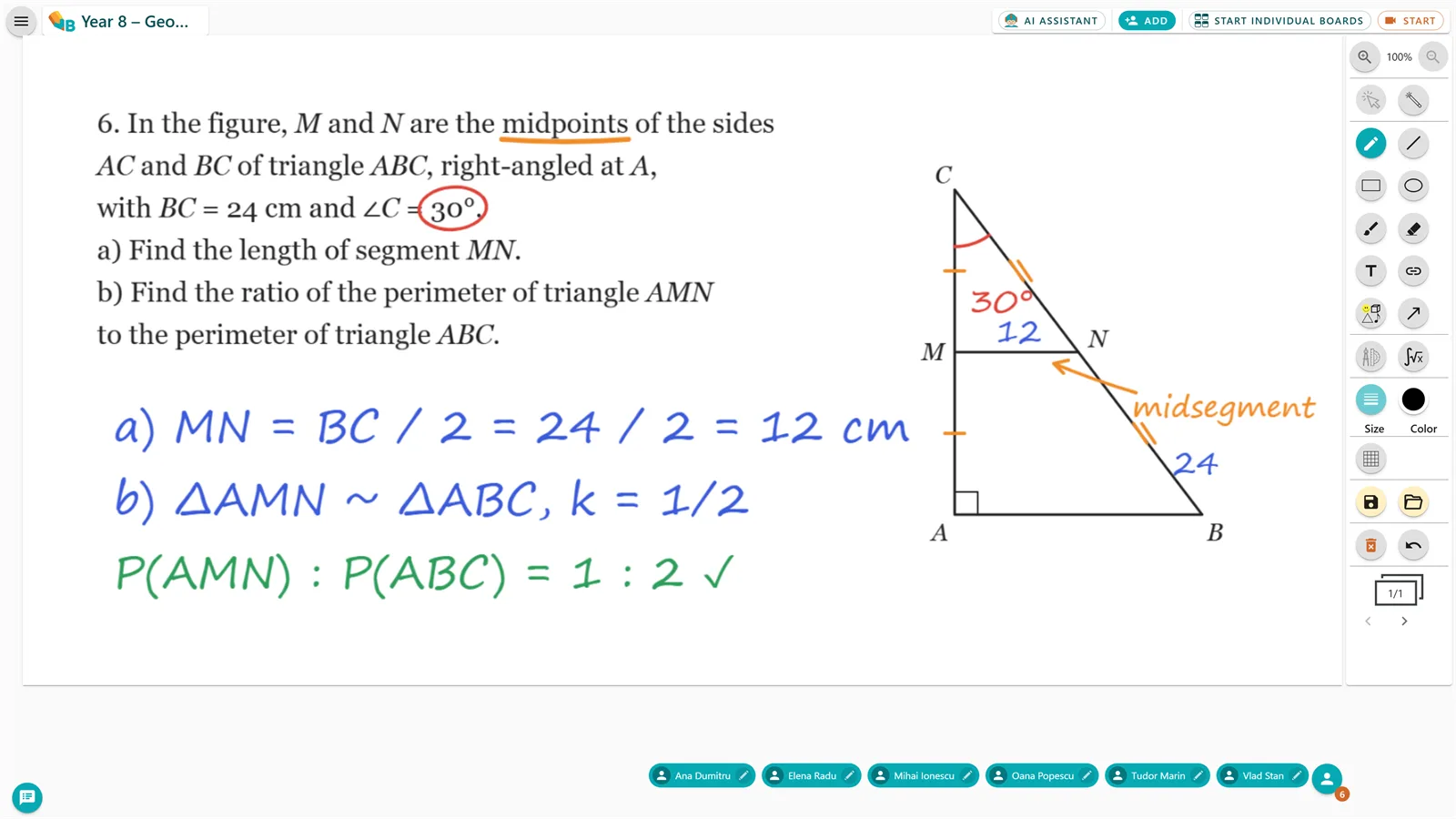
Write straight onto the material you teach.
Add your PDF, test or image to the board and explain right on top of it. No rebuilding anything.
- Your own PDFs, images, tests and videos
- Resize it and write directly over it
- Your explanation stays right next to the exercise
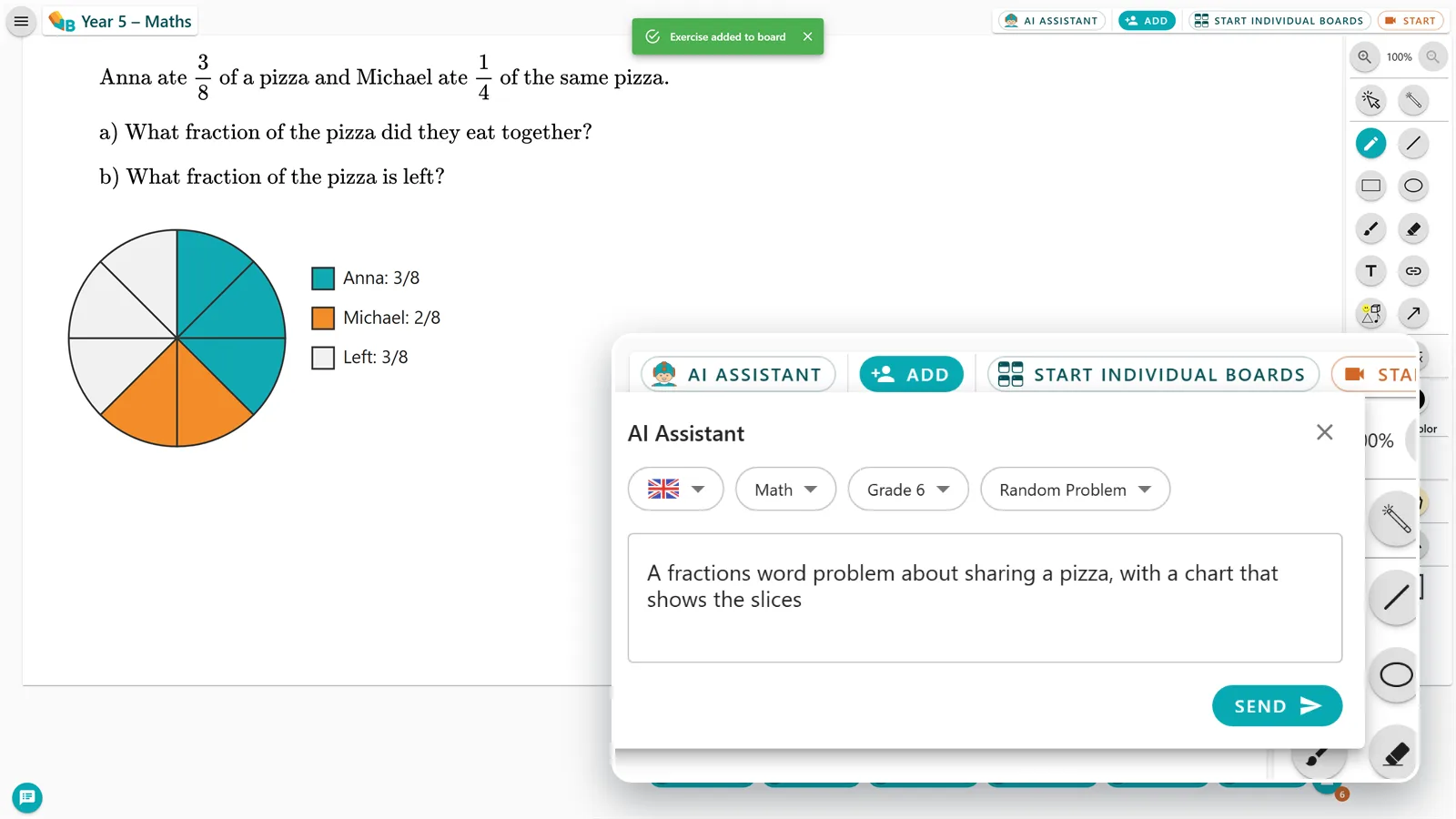
Ask for an exercise. Check it. Put it on the board.
Choose the subject and grade, type what you need, review the result and drop it into the lesson.
- Exercises and explanations pitched at your class
- You review everything before the lesson
- The result lands straight on the board
02Teach
For every subject
Texts, maps, sources or formulas, all on the same board.
Add whatever you teach, explain it visually and let your students work directly on it.
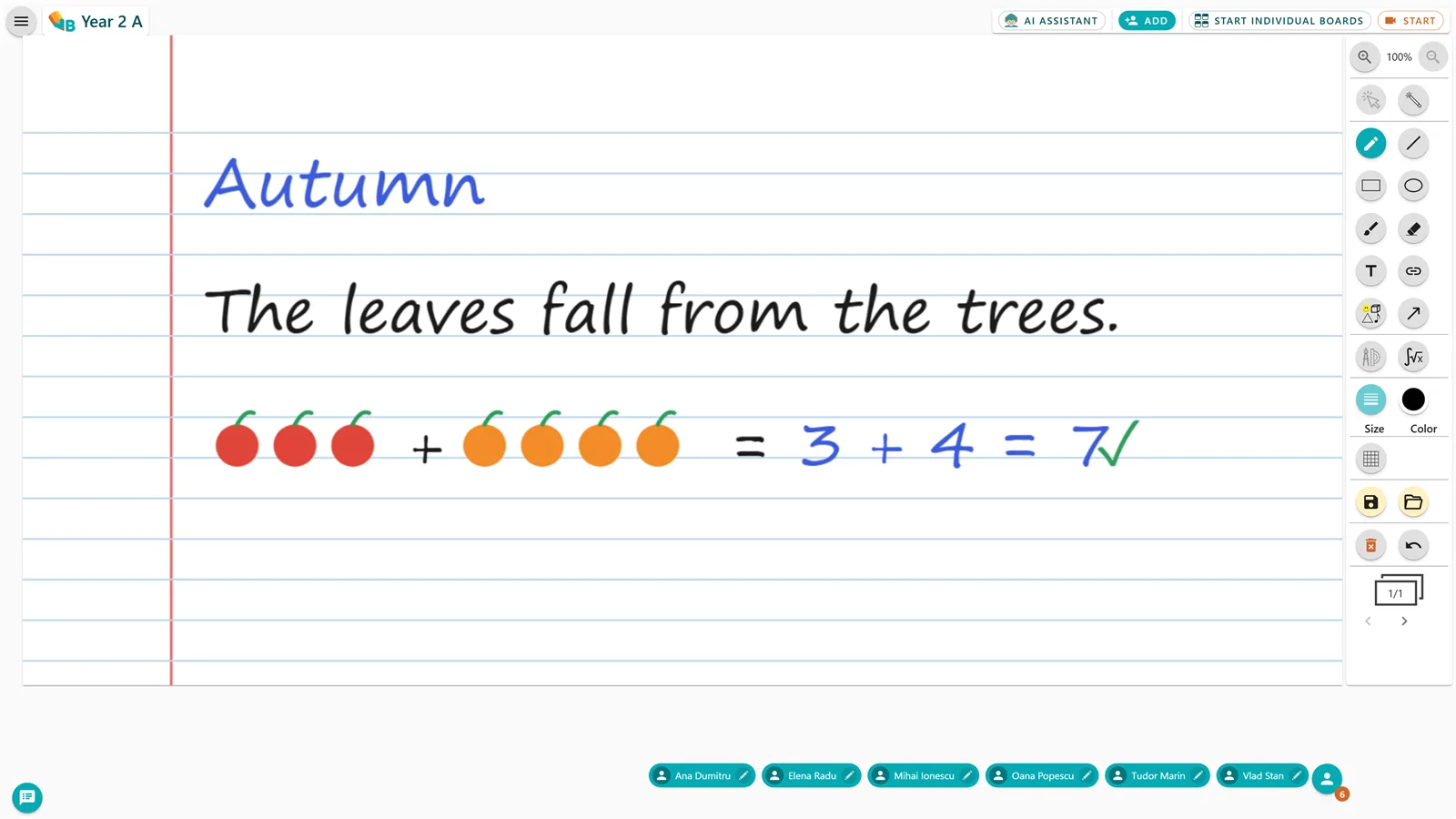
Students write, match and solve right on the board.
Choose the ruled paper that fits, add pictures and worksheets, and every child works on a board of their own.
- Every kind of ruled paper, from first letters to dictation
- Worksheets, pictures and visual exercises
- Write and solve directly on the material
- Save the activity to revisit later
03Engage
Individual boards
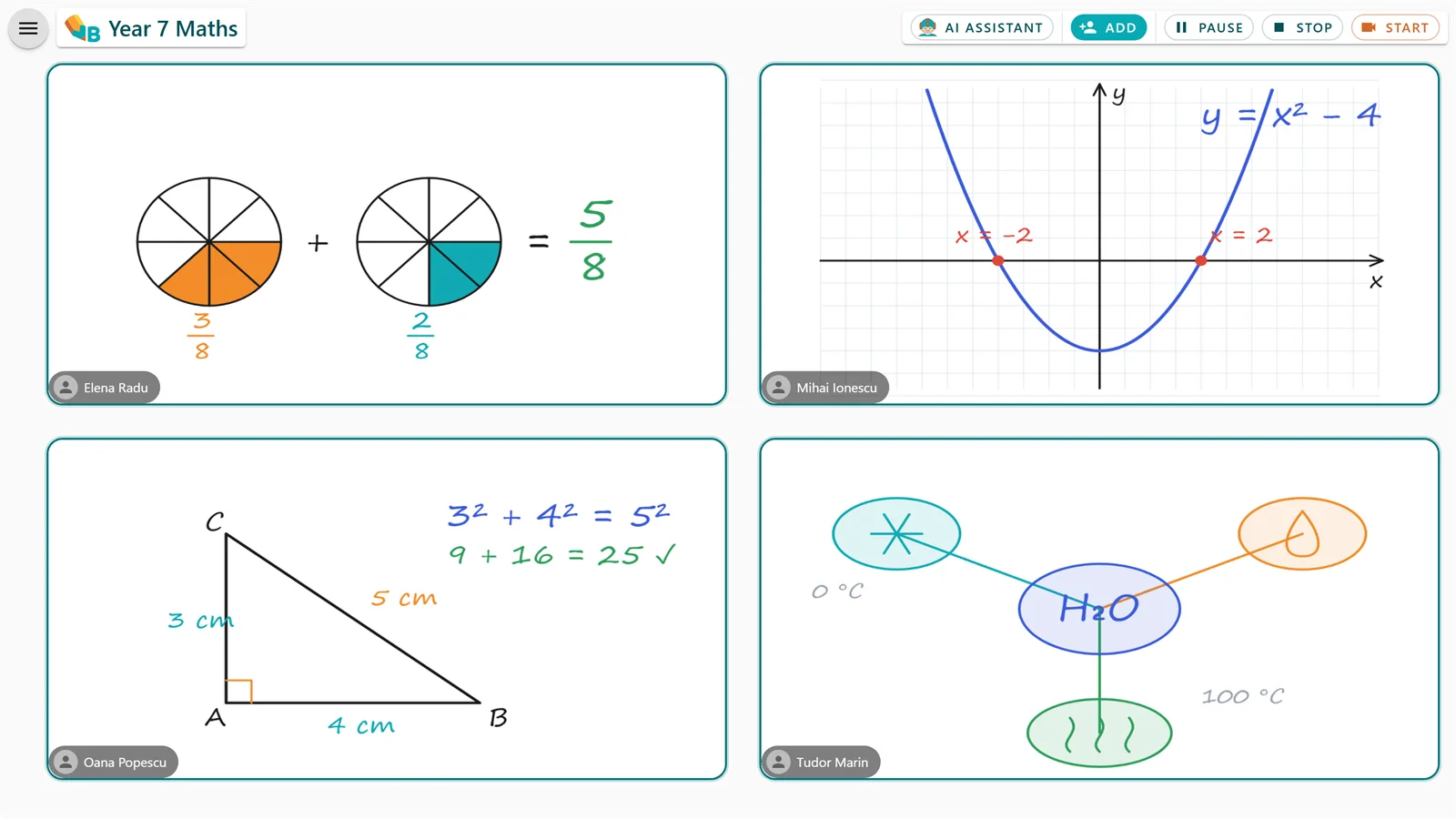
Every student gets a board. You see all of them.
Start an individual activity and each student works on their own board while you watch every solution, drop onto any board and give feedback on the spot.
- Students join from the browser, on any device
- Watch every student work, all at once
- Jump onto any board and give feedback
- You decide who writes and when the activity starts
04Keep
Library and export
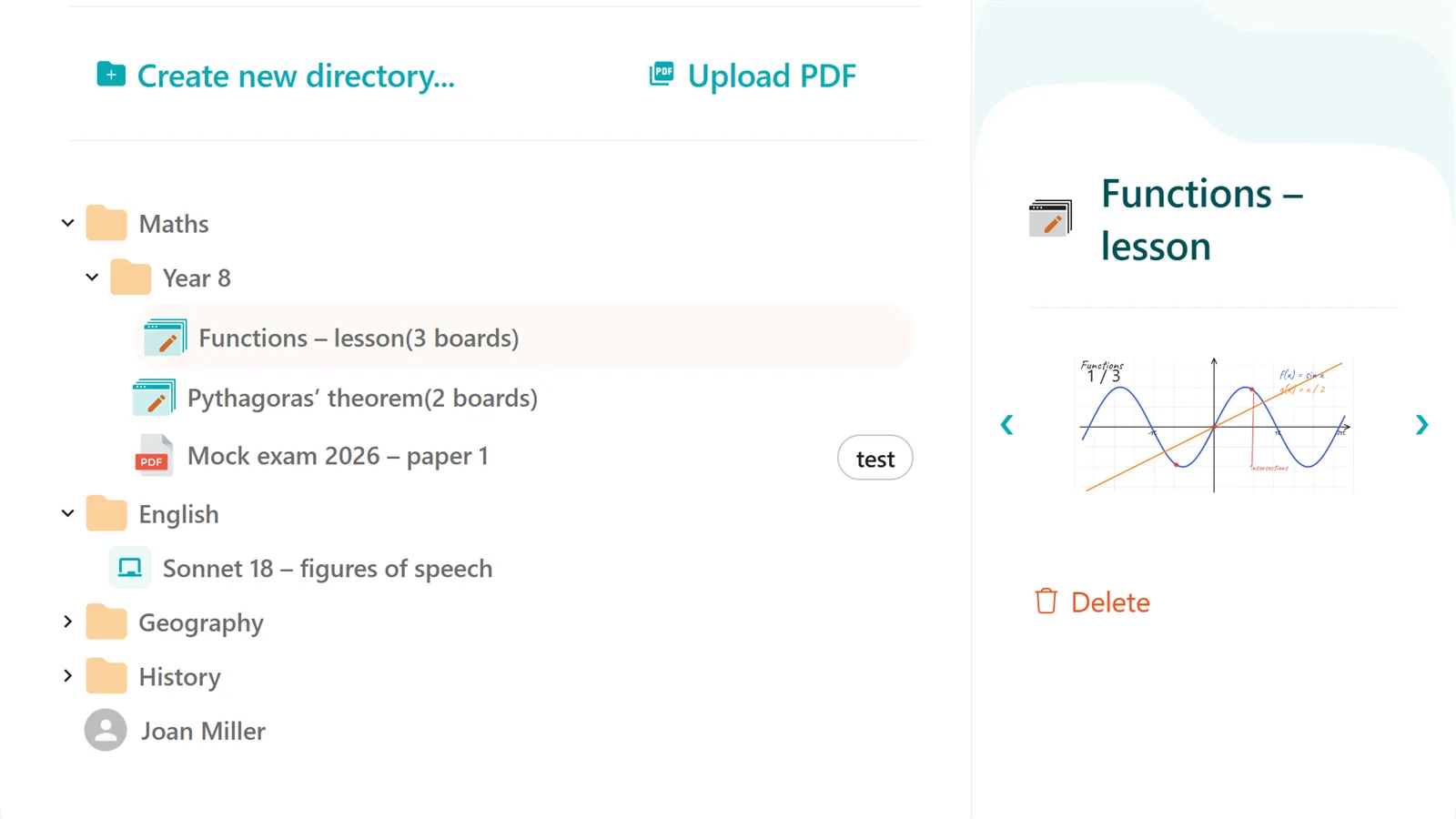
Prepare once. Teach it again and again.
Save the lesson to your library, reopen it with another class and send students everything you worked on as a PDF.
- A library of lessons you can reuse
- Reopen any lesson with another class
- Organise materials by subject and grade
- PDF export for students and parents
Try every tool in a real lesson.
Runs in your browser · No card required
Works with the technology already used in education
 Native app for Samsung FlipVBoard is available directly on Samsung Flip smart boards.Watch the launch coverage →
 Integrated in Microsoft TeamsVBoard is available in the Teams Store.Open in the Teams store →
 Google ClassroomConnect with Google ClassroomSimpler access to the activities and groups you already teach with.
For schools and education centres
Start with a pilot, not a purchase for the whole year.
Pick a few classes, the VBoard team runs the training, and the decision to expand comes from real use. Every teacher works the same way, on any board in the school.
Request a pilot- The same solution on interactive boards and displays
- Training and onboarding for teachers
- Lessons saved and reusable across classes
- Institutional licensing and invoicing
VBoard plans
You start on the Free plan.
The Free plan stays free, no card needed. You only pick a paid plan if VBoard becomes part of your teaching routine.
Free
Teach with VBoard at no cost and with no card, for as long as you need.
0€
Free, with no time limit
You can move to a paid plan at any time.
- Individual Boards
- Available groups: 3
- Available boards in library: 5
- Available activities with saved individual boards : 3
- Multiple boards in individual board activity
- PDF download
- AI tools
- Audio Video call
For regular use
Basic
For teachers who save, reuse and share their lessons.
47.88€/ year
a single payment per year · + VAT
That is €3.99 per month.
You save 2 months a year
- Individual Boards
- Available groups: 10
- Available boards in library: 50
- Available activities with saved individual boards : 10
- Multiple boards in individual board activity
- PDF download
- AI tools
- Audio Video call
Premium
For online tutoring, with every VBoard tool in one place.
107.88€/ year
a single payment per year · + VAT
That is €8.99 per month.
You save 2 months a year
- Individual Boards
- Available groups: Unlimited
- Available boards in library: Unlimited
- Available activities with saved individual boards : 50
- Multiple boards in individual board activity
- PDF download
- AI tools
- Audio Video call
Schools and centres
For schools, tutoring centres and teams of teachers.
Customquote
Based on the number of licences
Start with a small pilot and expand once you see real use.
Pilot available
- Multiple licences for teachers or tutors
- Onboarding and support for the team
- Institutional contract and invoicing
The Free plan does not expire. Move to a paid plan only when you need more.
Frequently asked
What teachers ask before their first lesson
Devices, students, material, and what happens to the lesson afterwards.
Can I use my own tests, PDFs and images?
Yes. You add them to the board and write straight over them, without rebuilding the material.
Does it work on the school’s interactive board?
Yes. VBoard runs in the browser, on interactive boards and displays that allow web access, and there is a native app for Samsung Flip.
Do students need to install an app?
No. They join from the browser on their phone, tablet or laptop and can work in real time, depending on the kind of activity you start.
What exactly does the AI assistant do?
It generates exercises, problems and explanations from your request, by subject and year. You check the result and decide what makes it into the lesson.
What happens to the lesson afterwards?
It stays in the library, you can reopen it and send it to students as a PDF. Saving limits depend on your plan.
Can I start without paying?
Yes. The Free plan does not expire and does not ask for a card. You move to a paid plan only if you need more groups, more lessons or the AI tools.
Prepare your next lesson in VBoard.
Open something you are teaching this week and see how long it takes to be ready for class.
Start for free- Straight from the browser
- Free plan, no card